
No Tension AI - One-Click YouTube Video
Official Software BuildNo Tension AI is a professional desktop automation studio designed for creators, marketers, and video editors. Its core purpose is to automate the entire video creation lifecycle—eliminating hours of manual writing, voice recording, caption styling, and timeline editing.
Autonomous Video Creation with No Tension AI
Turn raw video clips into viral, ready-to-upload YouTube videos and Shorts automatically. AI vision scene analysis, human-grade voice cloning, animated kinetic subtitles, and 1-click 4K rendering.
Built for Heavy-Duty Video Production
Everything you need to produce viral, high-retention short-form videos on complete autopilot.
Multi-Clip Dashboard
Manage raw clips, inspect resolutions, timeline timestamps, and status monitoring in a unified interface.
- ✓ Real-time player preview
- ✓ Multi-threaded background tasks
AI Vision Extractor
Analyzes keyframes frame-by-frame. Detects scene transitions and crafts contextual viral narrative hooks.
- ✓ Scene transition locking
- ✓ High-retention hooks
Voice Cloning Lab
Clone voice timbre with 10-30s audio. Natural cadence, pauses, and multi-language human voice synthesis.
- ✓ Custom pitch & speed rules
- ✓ Auto BGM audio ducking
Dynamic Subtitles
Whisper-accurate speech-to-text with auto-generated bouncing TikTok / Hormozi pop captions burned into MP4.
- ✓ TikTok pop typography
- ✓ Word-by-word highlights
Explore Every Module Screen of No Tension AI
Click on the tabs below or click on any screenshot to inspect in full-resolution detail.
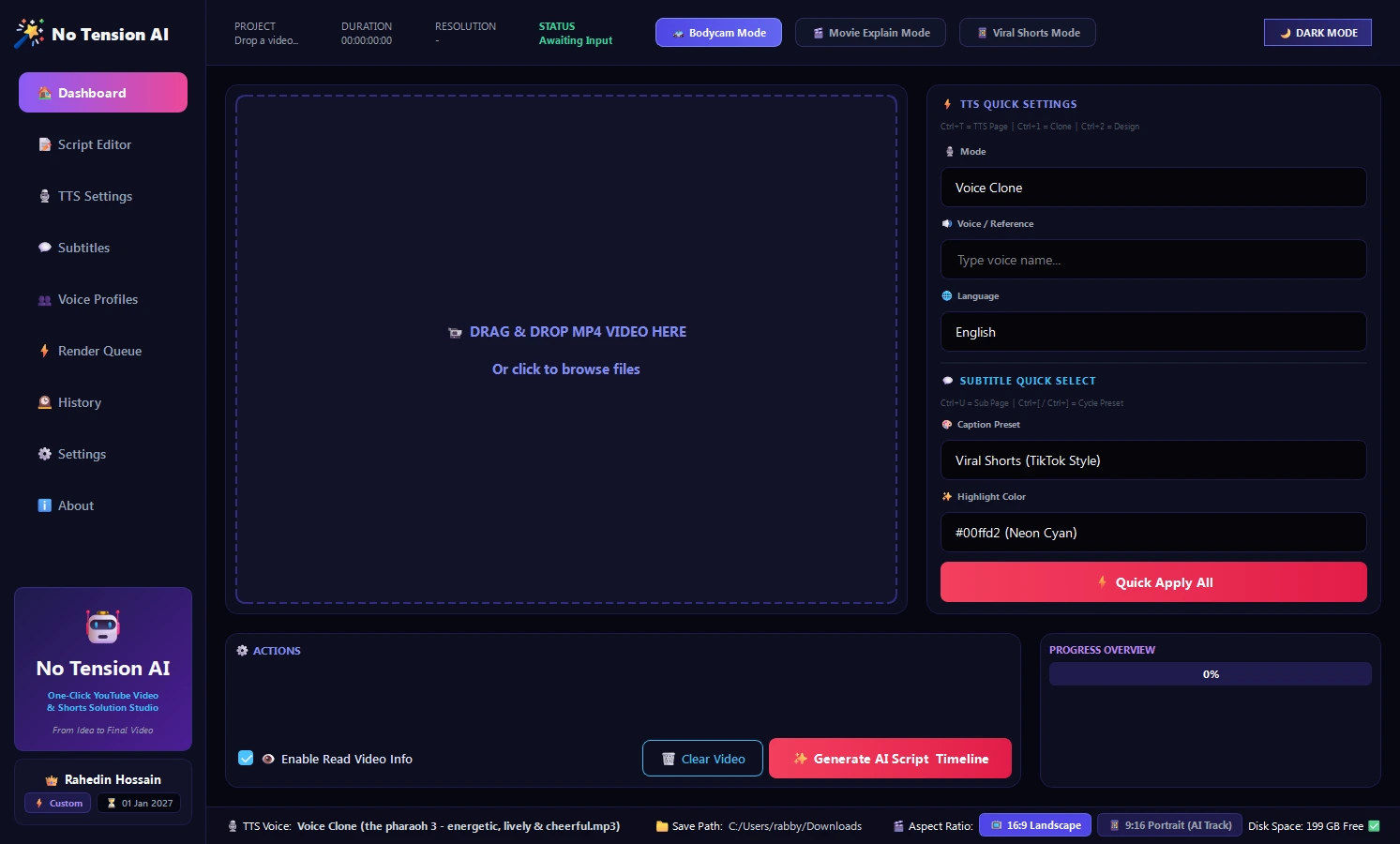
Your Complete Video Assembly Line
Drag any video footage into the dropzone. Inspect duration, resolution, and audio parameters on the fly with the built-in live media player.
- Zero Dependencies: No Premiere Pro, After Effects, or CapCut needed.
- Live Video Player: Scrub, seek, and preview video clips natively inside the software.
- Instant Action Hub: Trigger AI scene extraction and timeline generation with a single click.
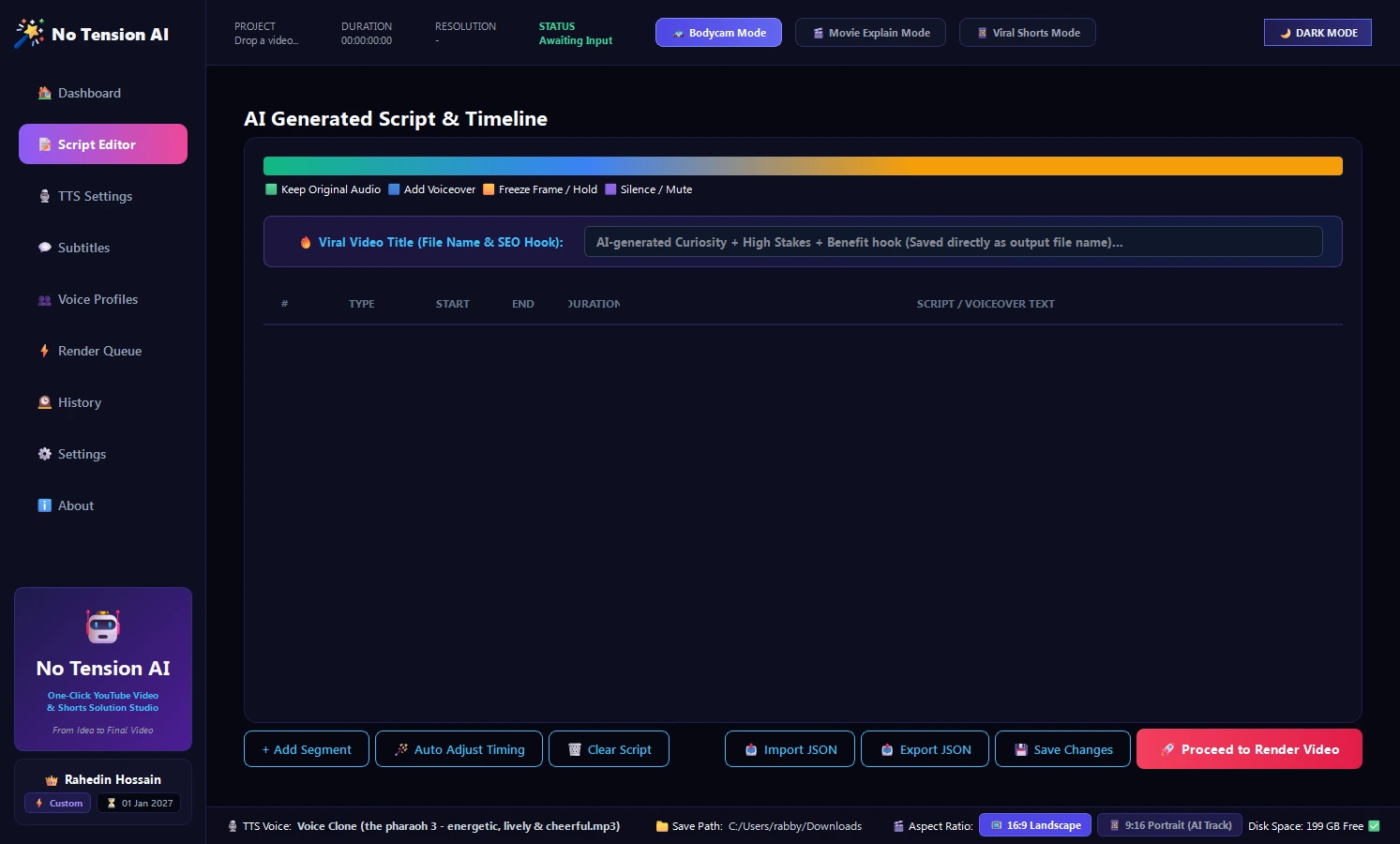
Vision-Powered Scriptwriting
Unlike generic AI chatbots, No Tension AI looks at your video frames. It understands what is happening and crafts high-retention hooks and viral narratives that sync with your video scenes.
- Visual Scene Extraction: Analyzes keyframes to match commentary with visual events.
- Viral Shorts Presets: Tuned for maximum retention, fast pacing, and strong call-to-actions.
- Full Editor Freedom: Tweak lines, rewrite hooks, or edit line-by-line before voice synthesis.
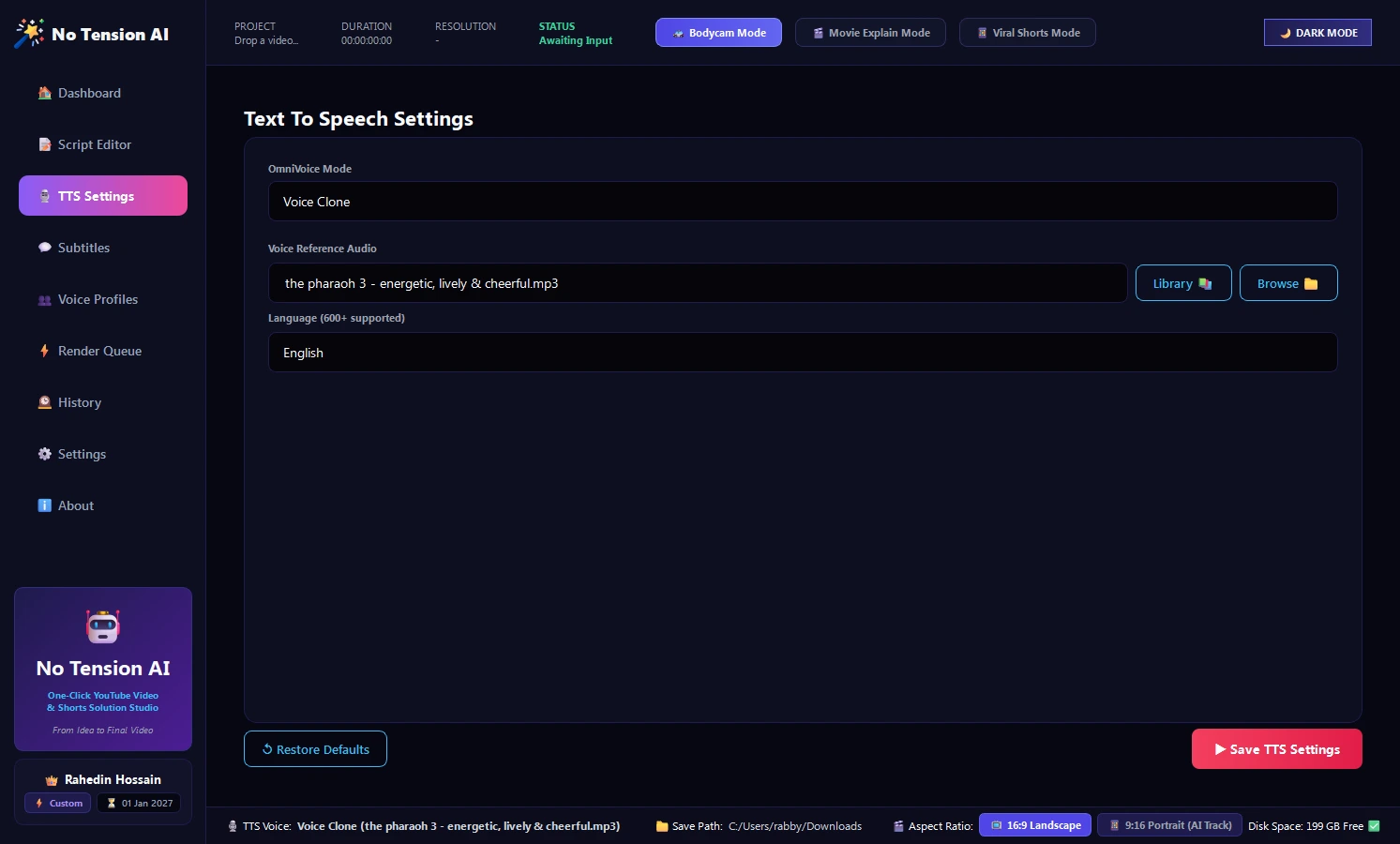
Hyper-Realistic Voice Cloning
Give your channel an unforgettable signature sound. Upload any reference audio to clone your own voice or select energetic voice profiles that command viewer attention.
- Voice Cloning: Duplicate any voice with a short reference sample in seconds.
- Emotion & Speed Control: Fine-tune narration speed, pitch, and voice energy.
- Multi-Language Ready: Generate voiceovers in English, Bengali, Hindi, Spanish, and more.
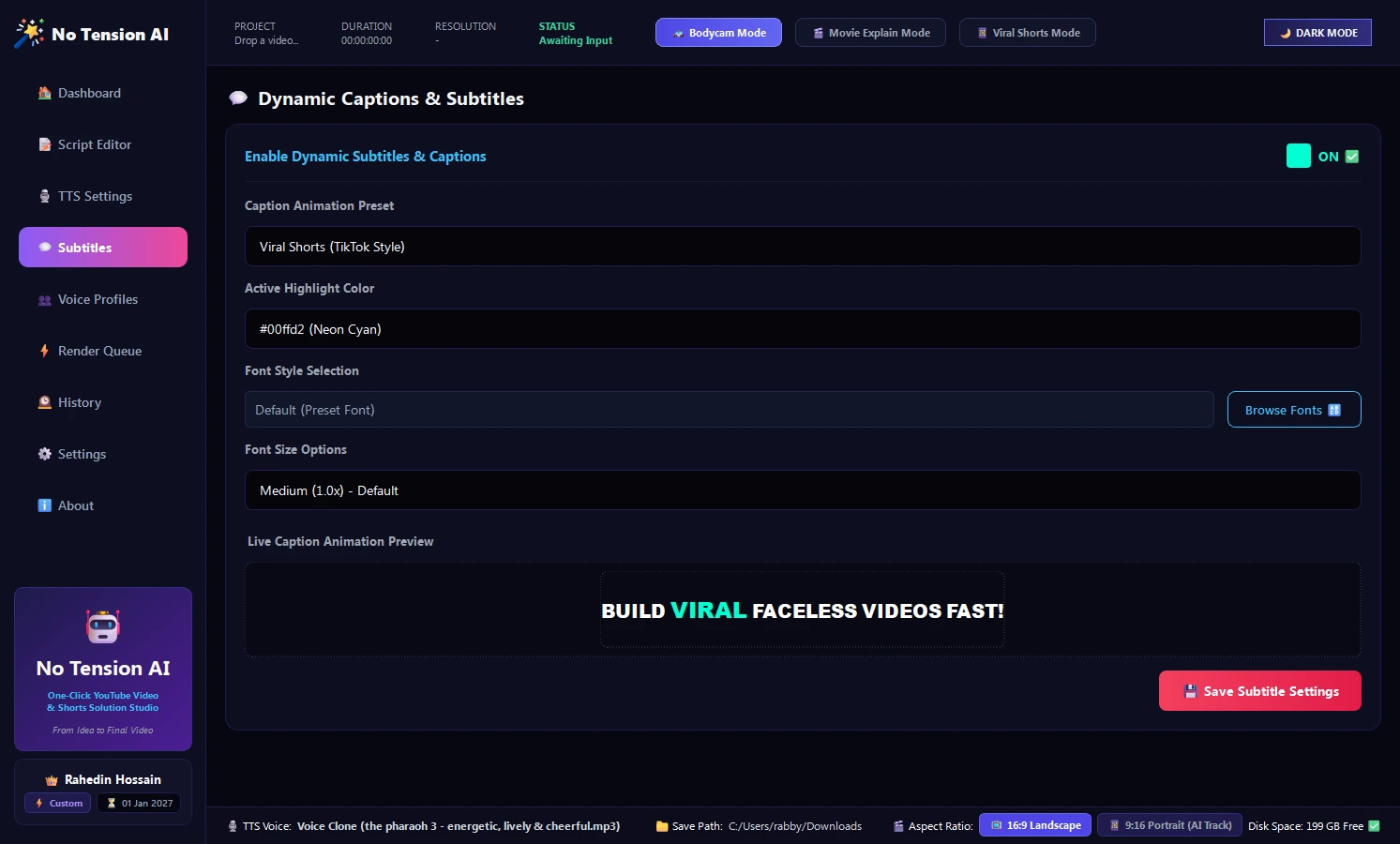
TikTok & Shorts Style Pop-Up Captions
Captions are critical for short-form retention. No Tension AI auto-transcribes spoken audio with Whisper precision and burns stylish, bouncing animated subtitles right onto your video.
- Trendy Presets: TikTok Pop, Dynamic Neon, and Clean Minimalist styles.
- Custom Aesthetics: Bright Yellow, Cyan, Coral, and full color picker support.
- Precision Word Sync: Millisecond-accurate word timing that keeps viewers hooked.
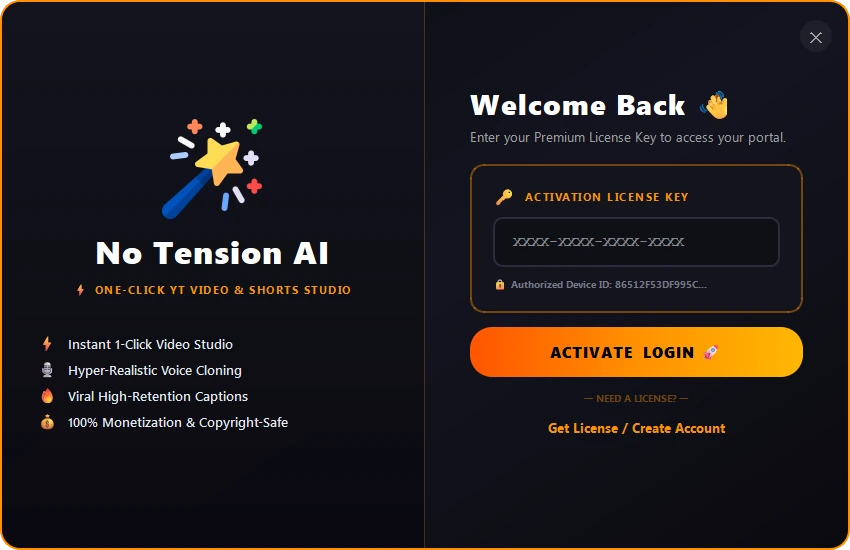
Hardware-Bound VIP License
Your software access is protected by an encrypted hardware-bound authorization system. Manage your license tier, check active status, and enjoy instant one-click activation.
- Instant Activation: Enter your key once and start rendering without delays.
- Profile Card: Check plan tier, remaining days, and authorized PC status in the sidebar.
- VIP Support: Direct Telegram support integration for prompt technical assistance.
How No Tension AI Works in Practice
No complicated keyframing. No timeline scrubbing. Three simple steps and your viral video is ready.
Drop Raw Video
Simply drag and drop any raw video footage or clip into the studio dashboard. The AI immediately analyzes duration, resolution, and scenes.
1-Click Auto Generate
Click "Generate AI Script Timeline". The system analyzes the visual frames, writes the hook, synthesizes human voice narration, and lays down captions.
Render & Go Viral
Hit Render! In under a minute, you get a fully rendered, high-bitrate MP4 with synchronized BGM, ready to publish on YouTube, TikTok, and Reels.
The Smart Way vs. The Hard Way
| Features & Workflow | ⚡ No Tension AI | ❌ Traditional Editing Workflow |
|---|---|---|
| Time Per Short Video | 60–90 Seconds | 2 to 3 Hours per video |
| Software Needed | 1 Unified Studio App | ChatGPT + ElevenLabs + Premiere/CapCut + BGM Sites |
| Cost | Single Lifetime License | $100–$250/mo in recurring SaaS bills |
| Video Editing Skills | Zero Skills Required | Steep learning curve with keyframing & masking |
| Subtitle Synchronization | Automatic AI Word Timing | Manual typing, cutting, and color styling |
| Voice Consistency | Permanent Saved Voice Clone | Different voice actors or character limits |
How Much Time & Money Will You Save?
Drag the slider below to see how automation accelerates your channel's output.
System Requirements
Engineered for pure local hardware execution. Zero cloud subscription fees, zero upload latency, and 100% video confidentiality.
Choose Your License Tier
Select the plan that fits your hardware binding and execution scale.
Starter Plan
7 Days Validity-
✓Hardware Bindings: 1 PC(s)
- 🎬 Unlimited 4K / 60FPS Video Exports (Shorts & Long-Form YouTube)
- 👁️ Advanced AI Scene & Computer Vision Analysis
- ✍️ Multi-Segment Script Studio with 1-Click AI Polish
- 🗣️ Unlimited Custom Voice Clones
- ⚡ Multi-Threaded Batch Rendering Pipeline
- 🔑 VIP License Support
- 🛠️Dedicated Priority Support & Early Beta Features
Pro
90 Days Validity-
✓Hardware Bindings: 1 PC(s)
- 🎬 Unlimited 4K / 60FPS Video Exports (Shorts & Long-Form YouTube)
- 👁️ Advanced AI Scene & Computer Vision Analysis
- ✍️ Multi-Segment Script Studio with 1-Click AI Polish
- 🗣️ Unlimited Custom Voice Clones
- ⚡ Multi-Threaded Batch Rendering Pipeline
- 🔑 VIP License Support
- 🛠️Dedicated Priority Support & Early Beta Features
- 🔑 3 Month AI Api Key Free
Unlimited
Unlimited Validity-
✓Hardware Bindings: 1 PC(s)
- 🎬 Unlimited 4K / 60FPS Video Exports (Shorts & Long-Form YouTube)
- 👁️ Advanced AI Scene & Computer Vision Analysis
- ✍️ Multi-Segment Script Studio with 1-Click AI Polish
- 🗣️ Unlimited Custom Voice Clones
- ⚡ Multi-Threaded Batch Rendering Pipeline
- 🔑 VIP License Support
- 🔑 2 Month AI Api Free
- 🛠️Dedicated Priority Support & Early Beta Features
Everything You Need To Know
Click any question below to view detailed answers about No Tension AI software, hardware specs, and VIP licensing.
Watch No Tension AI In Action
Experience high-retention viral YouTube Shorts generated with automated AI vision, voice cloning, and animated captions.